



If you want to build an application powered by Claude, automate AI workflows, or connect Anthropic models to your own software, one of the first things you will encounter is a claude api key. This key is the credential that lets your application authenticate with the Claude API and send requests to Anthropic’s services.
Getting started is relatively straightforward, but there are a few details that can easily cause confusion. Claude’s consumer plans and its developer platform are separate, API usage is billed through the Claude Console, and API credentials need to be treated like passwords rather than ordinary configuration values. Anthropic also now supports more than one authentication approach, so the best option depends on whether you are experimenting locally or deploying a larger production system.
This guide explains what a Claude API key is, where to get one, how to use it safely, what billing involves, and what to do when your key does not work.
What Is a Claude API Key?
A Claude API key is a secret credential generated through Anthropic’s Claude Console. It allows software to authenticate when communicating with Claude’s API.
The API itself is a REST-based service available through Anthropic’s API infrastructure. Developers can use the Messages API and other available services to send instructions, provide context, and receive model-generated responses inside their applications.
In simple terms, the process looks like this:
Your application sends a request → the request includes your authentication credential → Anthropic verifies the credential → Claude processes the request → your application receives the response.
The key is therefore an important security component. Anyone who obtains an active credential may be able to make API requests under the associated account or organization, which is why Anthropic recommends secure storage, periodic rotation, and disabling or deleting credentials that may have been exposed.
Claude API Key vs Claude Subscription
One of the most common misunderstandings is assuming that a paid Claude subscription automatically includes API access.
It does not.
Anthropic states that Claude’s paid consumer plans and the Claude Console are separate products. Claude subscriptions are intended for using Claude through supported applications and interfaces, while the Console provides developer access, API keys, billing controls, and tools for building integrations.
That means someone can have a paid Claude plan and still need to separately configure Console access for API usage.
For developers, this distinction is important because an application using the API is billed according to API usage rather than simply inheriting the usage allowance of a normal Claude chat subscription.
How to Get a Claude API Key
The normal route is through the Claude Console.
First, create or access your Claude Console account. Anthropic describes the Console as the place where organizations can create API keys, configure billing, manage users, and experiment with Claude through the playground.
After entering the Console, go to the API key settings. Anthropic’s current authentication documentation says a key can be created through Settings → API keys, where you can name the credential and select settings such as its expiration.
After the key is generated, copy it and store it securely. Treat the value like a password. Do not post it publicly, place it in a public repository, or insert it into client-side code that ordinary users can inspect.
Anthropic’s current documentation also supports different key types, including personal keys and keys linked to service accounts. The appropriate option depends on whether the credential belongs to an individual developer or is being shared across a team or service.
Does a Claude API Key Cost Money?

Creating or using an API key should not be confused with the actual cost of API usage.
Anthropic currently bills Claude API usage through prepaid usage credits for organizations using that billing model. You purchase credits through the Console, and those credits are consumed according to the current model and usage pricing. When the balance reaches zero, API calls can no longer be made until additional credits are added.
This is different from a simple monthly subscription fee. Your eventual cost depends on what you send to the models, what they generate, which model you use, and which pricing features apply.
Anthropic’s published pricing is usage-based and expressed around token consumption. For example, its published 2026 pricing documents show different input and output rates for models such as Claude Sonnet and Claude Opus, while batch processing and prompt caching can have different pricing from standard requests.
Because model prices and available models can change, developers should check Anthropic’s current pricing documentation before estimating long-term costs.
How to Use Your Claude API Key
Once you have a key and active API access, the simplest approach is to store the credential in an environment variable.
Anthropic’s current getting-started documentation uses the ANTHROPIC_API_KEY environment variable, which the official SDK can read automatically.
For example, in a Unix-like terminal you can set it with:
export ANTHROPIC_API_KEY="your-api-key-here"Then an application using Anthropic’s SDK can create a client without placing the secret directly inside the source code. The exact setup differs slightly between Python, TypeScript, and other supported languages, but the basic concept remains the same.
For direct HTTP requests, Anthropic’s current authentication documentation recommends sending the credential as a bearer token in the Authorization header. The older x-api-key header remains supported as a legacy alternative.
A simplified request therefore resembles the following:
curl https://api.anthropic.com/v1/messages \
  -H "Authorization: Bearer $ANTHROPIC_API_KEY" \
  -H "anthropic-version: 2023-06-01" \
  -H "content-type: application/json"
The actual request also needs the appropriate model, token limit, and message content.
Why You Should Not Hardcode Your API Key
Putting an API key directly into application source code may seem convenient during a quick experiment, but it creates a security problem.
Imagine a developer writes something like this:
client = Anthropic(api_key="my-secret-key")The code may accidentally end up in Git history, a screenshot, a shared ZIP file, a public repository, a build log, or another place that was never intended to expose credentials.
A safer pattern is to keep the secret outside the source tree and load it through an environment variable or secret-management system.
Anthropic explicitly recommends using secure storage, rotating keys periodically, and disabling or deleting any credential that is suspected of being leaked.
For a production application, the API credential should normally remain on the server rather than being embedded in frontend JavaScript or another client-side environment where users can inspect it.
Claude API Key Expiration and Rotation
Key expiration is another useful security feature.
Anthropic’s current Console documentation allows developers to choose an expiration when creating an API key. Available options can include preset durations such as several hours, one day, seven days, or thirty days, as well as custom expiration periods and, where organizational policy permits, a key without a set expiration.
Expiration can reduce the amount of time an accidentally exposed credential remains usable.
Anthropic also explains that an expired key cannot simply be reactivated. Requests made with an expired key return a 401 authentication_error, so a new credential must be created to restore access.
For production systems, planned rotation is preferable to waiting for a security incident. Separate credentials can also make it easier to isolate development, testing, and production environments.
What Happens If Your Claude API Key Is Leaked?
A leaked API key should be treated as compromised.
Do not assume that removing the key from the latest version of your code is enough. It may still exist in old commits, logs, backups, screenshots, or copied configuration files.
Anthropic’s current documentation says that keys can be disabled through the API-key management interface, while deletion is permanent and archives the key. If you suspect that a key has been exposed, the appropriate response is to disable or delete it and replace it with a new credential.
It is also sensible to review usage information after an exposure. Claude Console provides usage and cost reporting with breakdowns by model, date, time, and API key, which can help identify unexpected activity.
Common Claude API Key Problems
One of the first errors beginners encounter is authentication failure. A 401 response can indicate that the credential is missing, incorrect, expired, or otherwise invalid. Anthropic specifically notes that expired keys result in a 401 authentication_error.
Another common problem is having a valid key but no usable billing balance. API and playground access can depend on having credits available under the Console’s billing system.
Developers can also run into workspace-related configuration issues. Anthropic’s current authentication system allows API keys to be scoped to specific workspaces. For keys that are not scoped to a workspace in environments where one is required, the appropriate workspace identifier may need to be supplied with the request.
Finally, old tutorials can create confusion. Anthropic regularly deprecates and retires models, which means examples published months or years ago may use model identifiers that no longer work. Its official deprecation documentation shows that several older Claude models were retired during 2026 and replaced by newer models.
Is the Claude API Key Free?
The credential itself should not be thought of as a free unlimited pass to Claude’s models.
The API is a usage-based developer service. Organizations generally fund their Console account with credits before making API requests, while some organizations may have monthly invoicing arrangements.
The amount you spend depends on usage and model selection. A small personal experiment may consume little, while an application serving many users can generate much larger costs.
This is why developers should monitor usage rather than assuming that API access behaves like an unlimited consumer subscription.
Best Practices for Managing Your Claude API Key
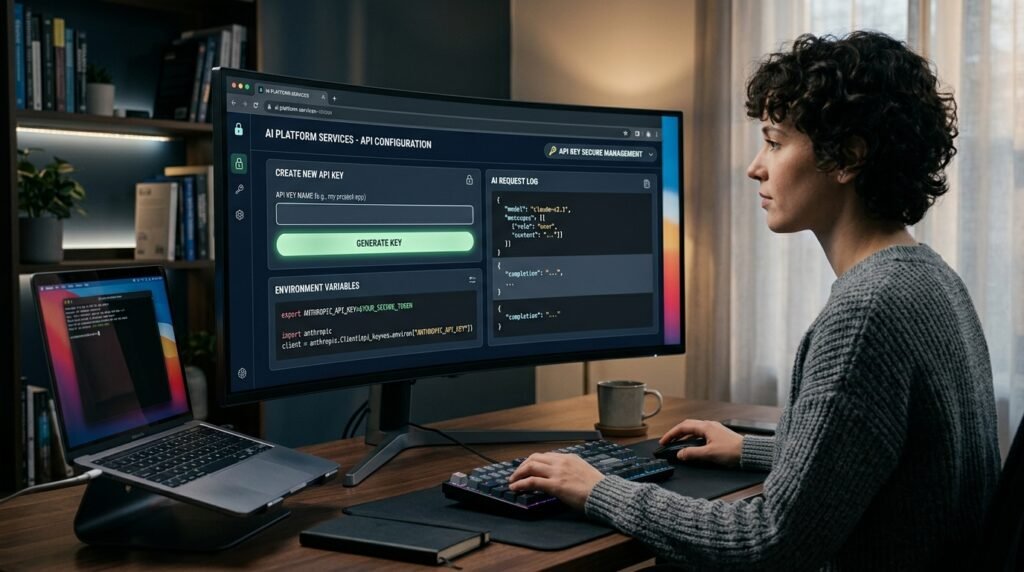
The safest setup is straightforward: keep your credential outside your public source code, use environment variables or a dedicated secrets manager, give different environments separate credentials when practical, and rotate keys regularly.
Avoid sending your API key to users or asking users to paste their private credentials into your application unless there is a specific architecture that requires it and the security model is clearly understood.
It is also worth paying attention to expiration and access scope. Anthropic’s current API-key system lets organizations configure expiration and, where applicable, workspace association. These options can reduce unnecessary exposure.
For larger deployments, Anthropic also supports alternatives to long-lived static API keys. Its authentication documentation describes Workload Identity Federation for production workloads such as cloud platforms, CI/CD pipelines, and Kubernetes, using short-lived tokens instead of relying exclusively on static secrets.
Claude API Key for Beginners: The Simple Workflow
For someone completely new to Anthropic’s developer platform, the process can be remembered as four stages.
Create a Claude Console account and configure API access. Generate an API key from the API-key settings. Store it securely and expose it to your application through an environment variable or an appropriate secret store. Then make API requests using the official SDK or authenticated HTTP requests.
After that, the most important ongoing tasks are monitoring usage, keeping your application compatible with current models, and replacing credentials when they expire or become compromised.
Frequently Asked Questions
What is a Claude API key used for?
A Claude API key is used to authenticate software that communicates with Anthropic’s Claude API. It allows applications and services to make authorized API requests.
Can I use my Claude Pro subscription as an API key?
No. Anthropic states that paid Claude subscriptions and Claude Console/API access are separate products. API access requires separate Console setup and billing.
Where do I create a Claude API key?
You create it through the Claude Console under the API-key settings. Anthropic’s current documentation describes the path as Settings → API keys.
Should I put my API key in JavaScript?
You should not expose a secret API key in browser-side code that users can inspect. A safer architecture is to keep the credential on your server and have the server communicate with Anthropic.
What should I do if my Claude API key is exposed?
Disable or delete the compromised key, create a replacement, update your application, and review usage for suspicious activity. Anthropic specifically recommends disabling or deleting keys that may have leaked.
Why is my Claude API key not working?
Possible causes include an incorrect key, an expired credential, insufficient billing credits, workspace configuration issues, or outdated model information. Checking the exact API error and the current Anthropic documentation is the best way to identify the cause.
Conclusion
A Claude API key is one of the basic building blocks for integrating Anthropic’s models into software, automation systems, and AI-powered applications. The process of getting one is not complicated, but successful API usage involves more than simply generating a credential.
You need the correct Console setup, appropriate billing, secure secret storage, and an up-to-date understanding of Anthropic’s authentication and model ecosystem. Claude’s current platform supports standard API-key authentication as well as newer approaches such as Workload Identity Federation, giving developers more flexibility as projects move from experimentation toward production.
The safest approach is to treat your Claude API key like any other sensitive credential: never expose it publicly, monitor its use, use expiration and scope controls where appropriate, and replace it quickly if it becomes compromised.



Comments are closed.
[…] Claude API Key: How to Get, Use, Secure, and Manage It in 2026 […]